Features
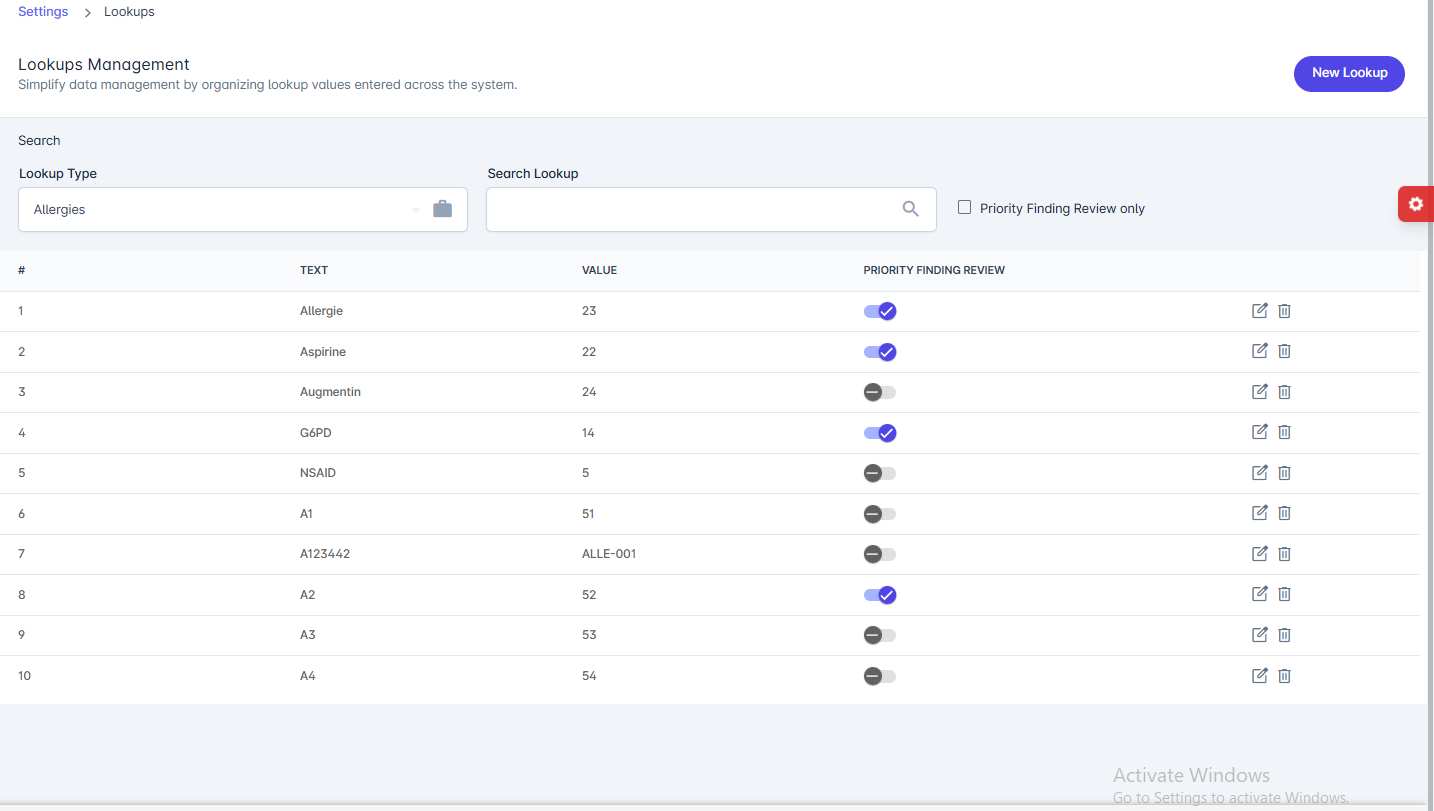
- Lookup Type: Select the category of lookup values (e.g., Allergies).
- Search Lookup: Quickly search for specific lookup items.
- Priority Finding Review: Option to filter and show only high-priority findings.
-
Lookup List: Displays all lookup entries with:
- # – Serial number.
- Text – The displayed name of the lookup item.
- Value – A unique identifier or code for the lookup.
- Priority Finding Review – Toggle to mark whether the item requires priority review.
-
Actions:
- Edit (✎) – Update an existing lookup value.
-
Delete (🗑) – Remove the lookup entry.
-
New Lookup: Add a new lookup entry to the system.
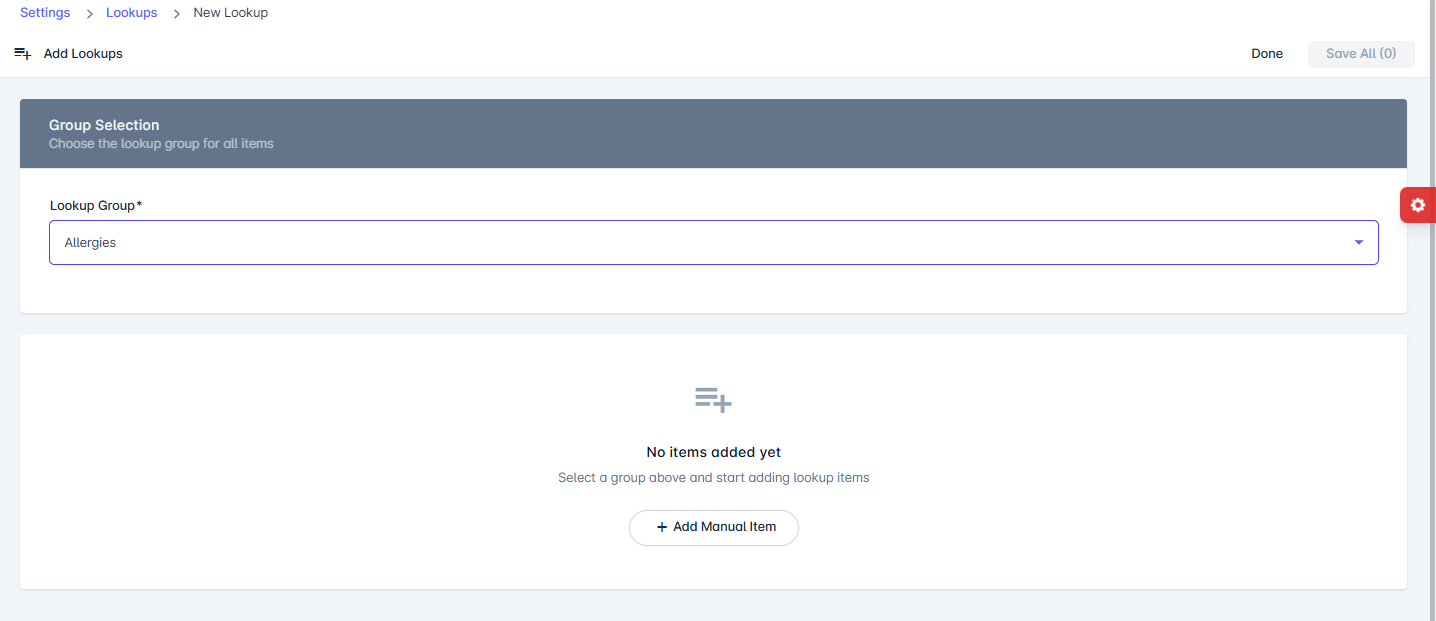
The New Lookup page allows administrators to add new lookup values under a specific group (e.g., Allergies, Diagnoses, etc.). These values are then available system-wide for consistent data entry and selection.
Sections
- Group Selection
- Lookup Group – Choose the category under which the new lookup items will be added (e.g., Allergies).
- Lookup Items
- Add one or multiple lookup items manually.
- Items will appear in the list once created.
Actions
- Add Manual Item – Adds a new custom lookup entry to the selected group.
- Save All – Saves all newly added lookup items at once.
- Done – Completes the process and returns to the lookup list.
- Group Selection