How to add new patient?
To add a new patient in MedRay:-
Go to the Patients Page
Navigate to the Patients section from the main menu. -
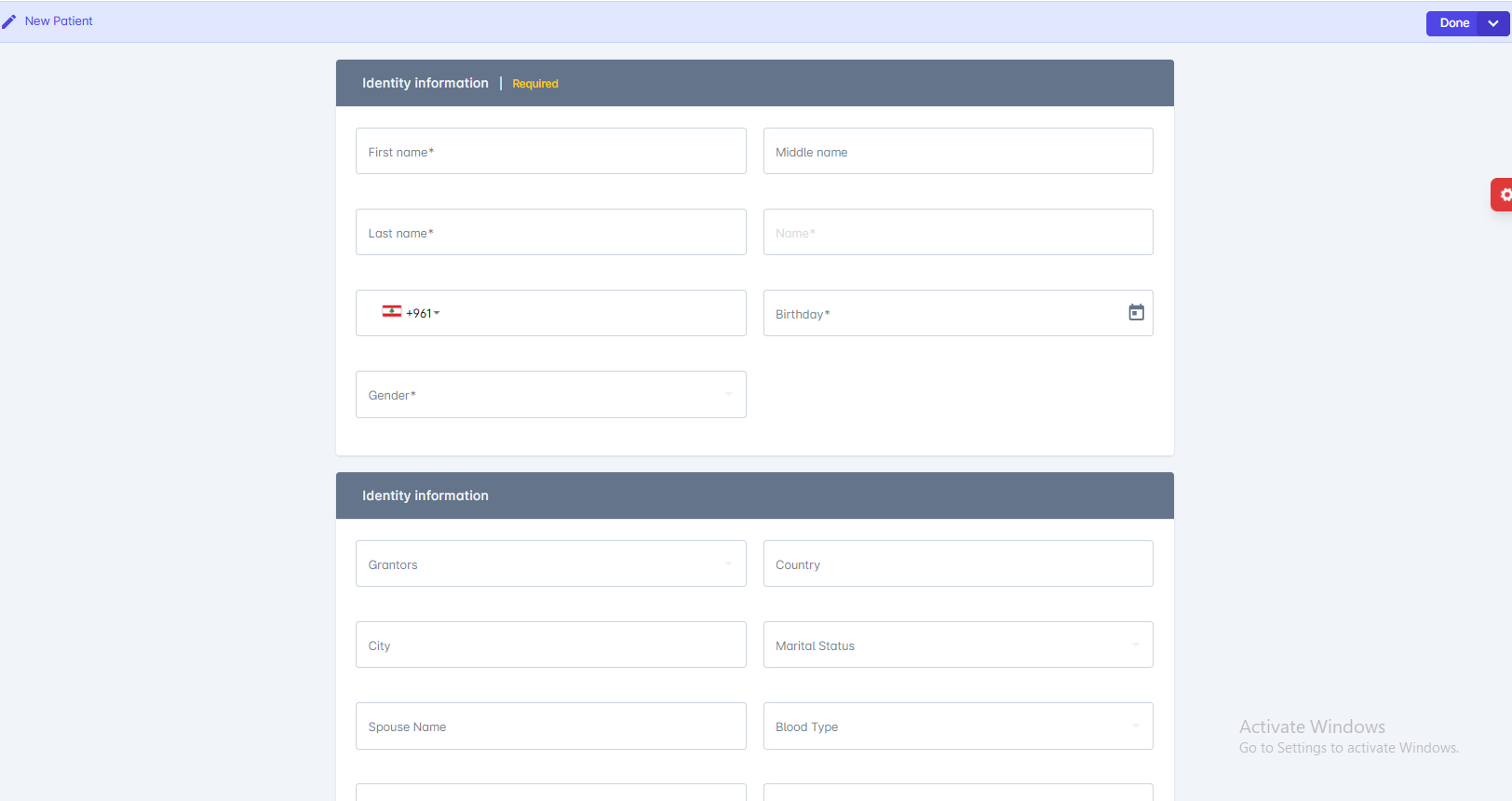
Click “Add New Patient”
Select the button or icon labeled New Patient . -
Enter Patient Details
Fill in required fields such as:- Full name
- Date of birth
- Contact information
- Address
- Medical history or notes (if available)
-
Save the Record
Click Done to create the new patient profile.