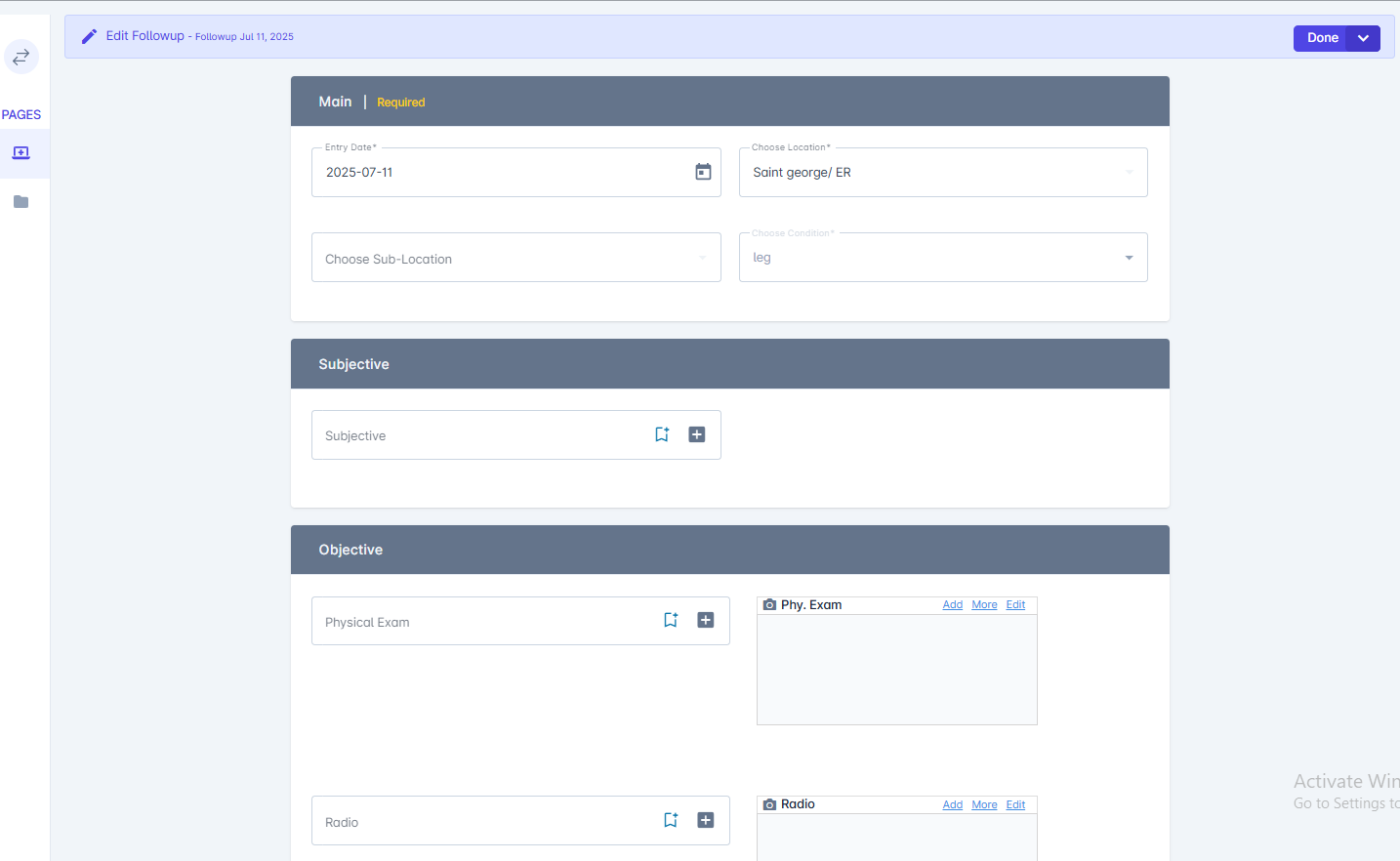
How to Add Followup:
-
Open the Patient Profile:
Select the patient whose follow-up you want to create. -
Go to the Conditions Section:
Find the specific condition you want to link the follow-up to. -
Click “+Follow-Up”:
Select the option to add a new follow-up.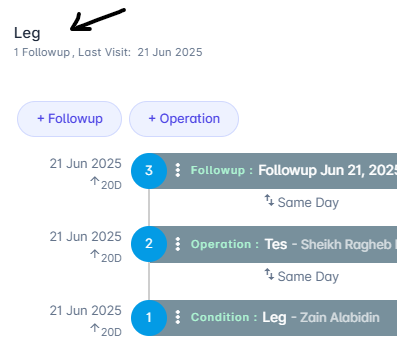
-
Enter Follow-Up Details:
Fill in the date, purpose, notes, and any reminders related to the follow-up.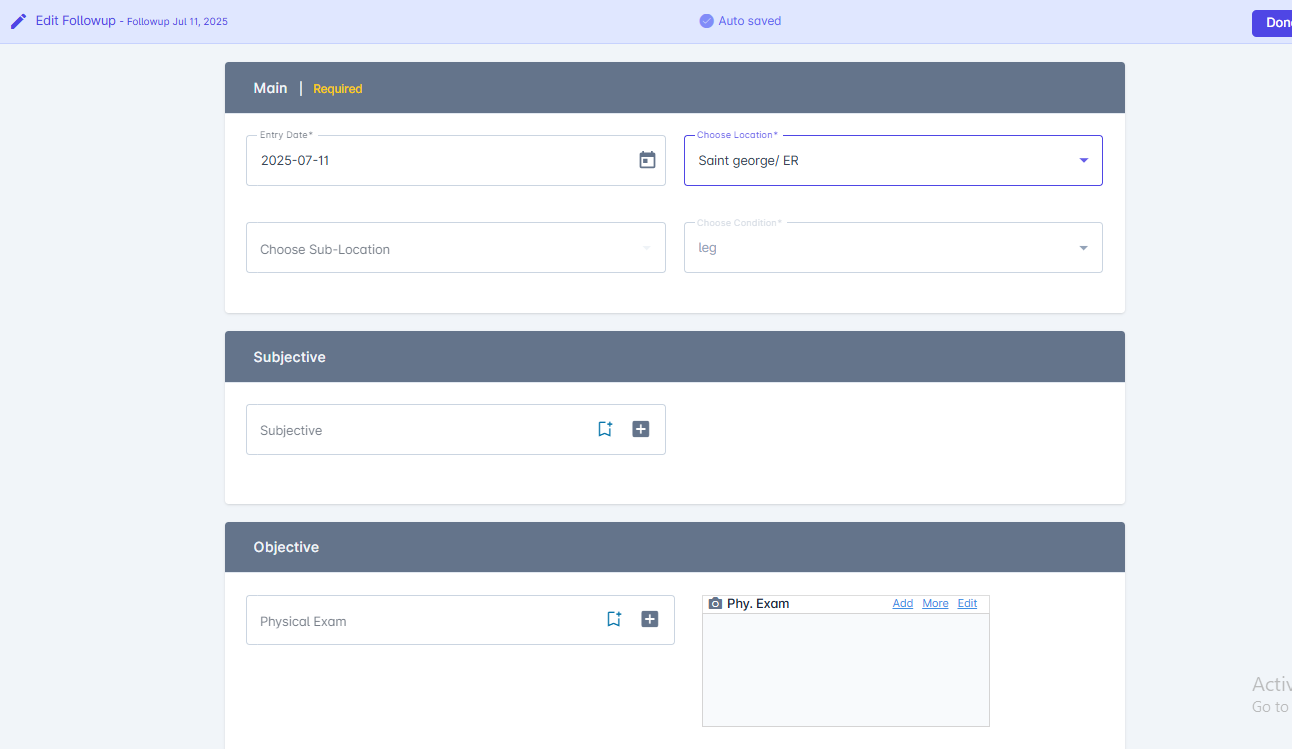
-
Save the Follow-Up:
Click Done to link the follow-up to the patient’s condition.
How to Edit Followup?
- Go to the Patient Profile
- Open the patient list and select the patient whose follow-up you want to edit.
- Access the Condition
- In the patient profile, navigate to the Conditions section.
- Click on the specific condition linked to the follow-up.
- Find the Related Follow-Up
- Locate the follow-up entry related to that condition.
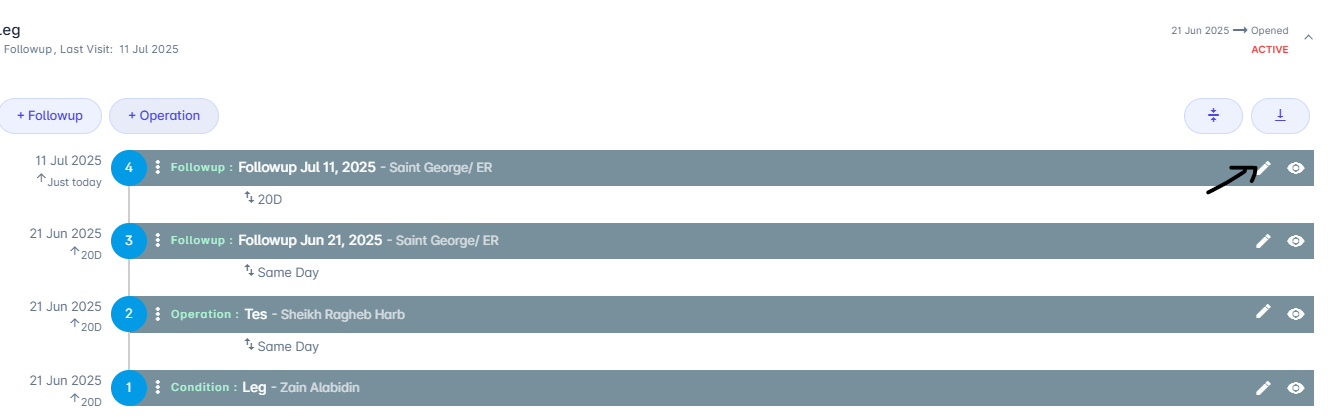
- Click the Edit Icon
-
Click the pencil icon on the right side of the follow-up entry.
-
Click the pencil icon on the right side of the follow-up entry.
- Edit the Follow-Up Details
- Update any necessary fields, such as date, notes, or assigned provider.
- Save Changes
- Click Done to confirm your changes.
Followup details:
- Main: Requeired feilds
- Subjective
- Objective_: _Physical exam ,Radio,Laboratory,Consultation
- Assesment
- Diagnosis
- Notes
- Medication
-
Attachment