> ## Documentation Index
> Fetch the complete documentation index at: https://docs.medicare-group.net/llms.txt
> Use this file to discover all available pages before exploring further.
# Tags
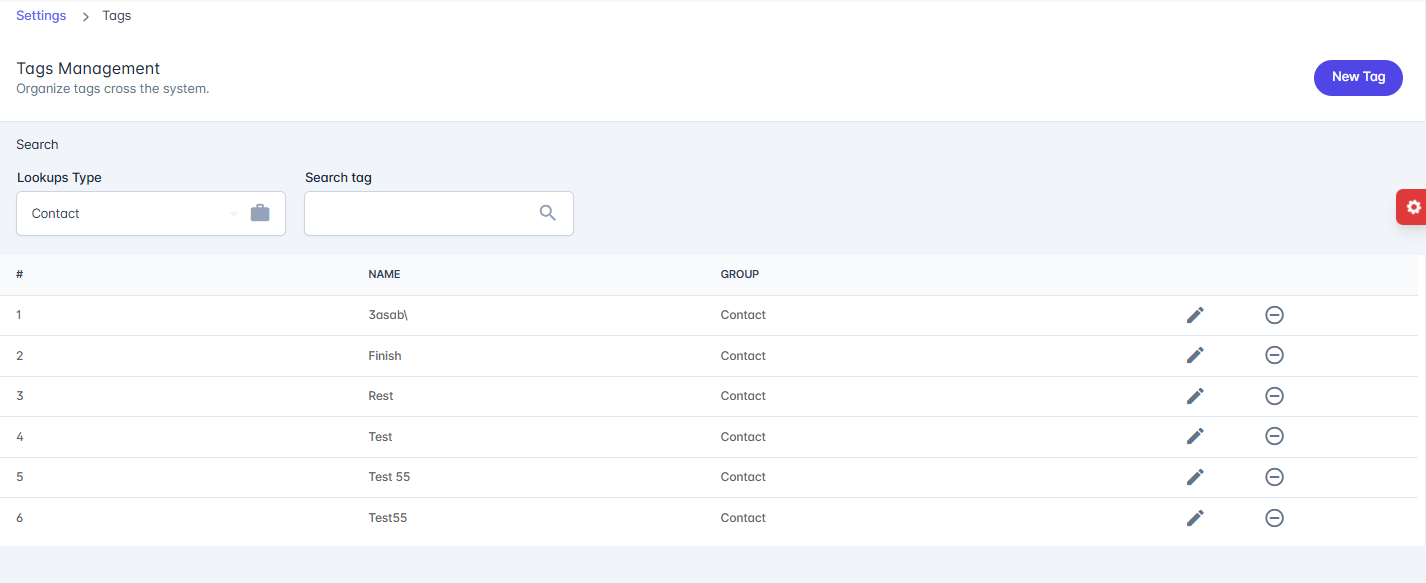
> The Tags Management page allows administrators to organize and manage tags used across the system. Tags help classify and group records for easier search, filtering, and categorization
### Features
* **Search**:
* **Lookup Type** – Selects the category/group under which tags are organized (e.g., Contact).
* **Search Tag** – Search for a specific tag by name.
* **Tags List**: Displays all tags with:
* **#** – Serial number.
* **Name** – The tag name.
* **Group** – The category the tag belongs to.
* **Actions**:
* **Edit (✎)** – Modify a tag’s details.
* **Delete (⊖)** – Remove a tag from the system.
 * **New Tag**: Add a new tag under a specific group.
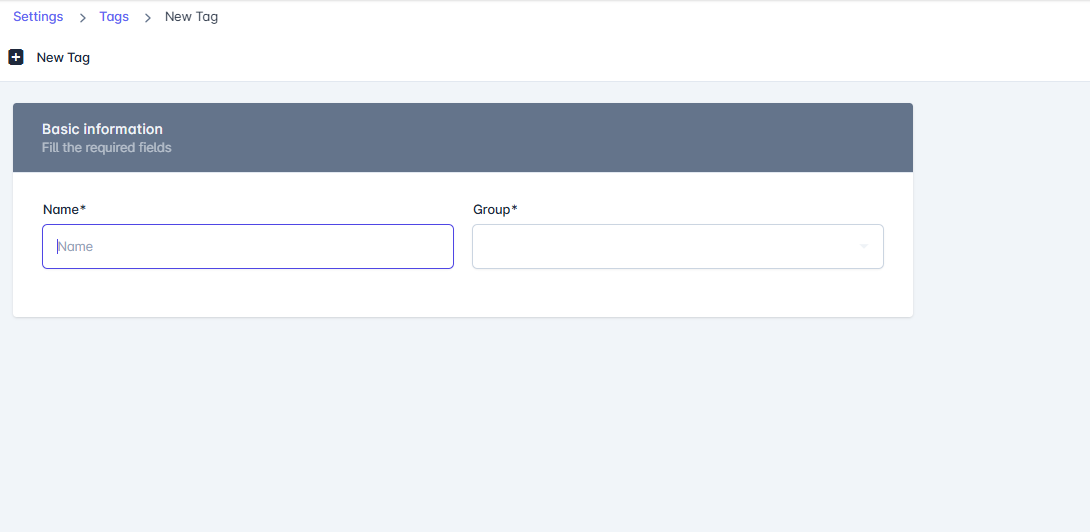
The **New Tag** page allows administrators to create new tags that can be used across the system for organizing and categorizing records.
### Fields
* **Name**\* – The name of the tag (required).
* **Group**\* – The group or category under which the tag will be classified (required).
### Actions
* **Save** – Creates and saves the new tag.
* **Done** – Completes the process and returns to the tag list.
* **New Tag**: Add a new tag under a specific group.
The **New Tag** page allows administrators to create new tags that can be used across the system for organizing and categorizing records.
### Fields
* **Name**\* – The name of the tag (required).
* **Group**\* – The group or category under which the tag will be classified (required).
### Actions
* **Save** – Creates and saves the new tag.
* **Done** – Completes the process and returns to the tag list.