> ## Documentation Index
> Fetch the complete documentation index at: https://docs.medicare-group.net/llms.txt
> Use this file to discover all available pages before exploring further.
# Lookups
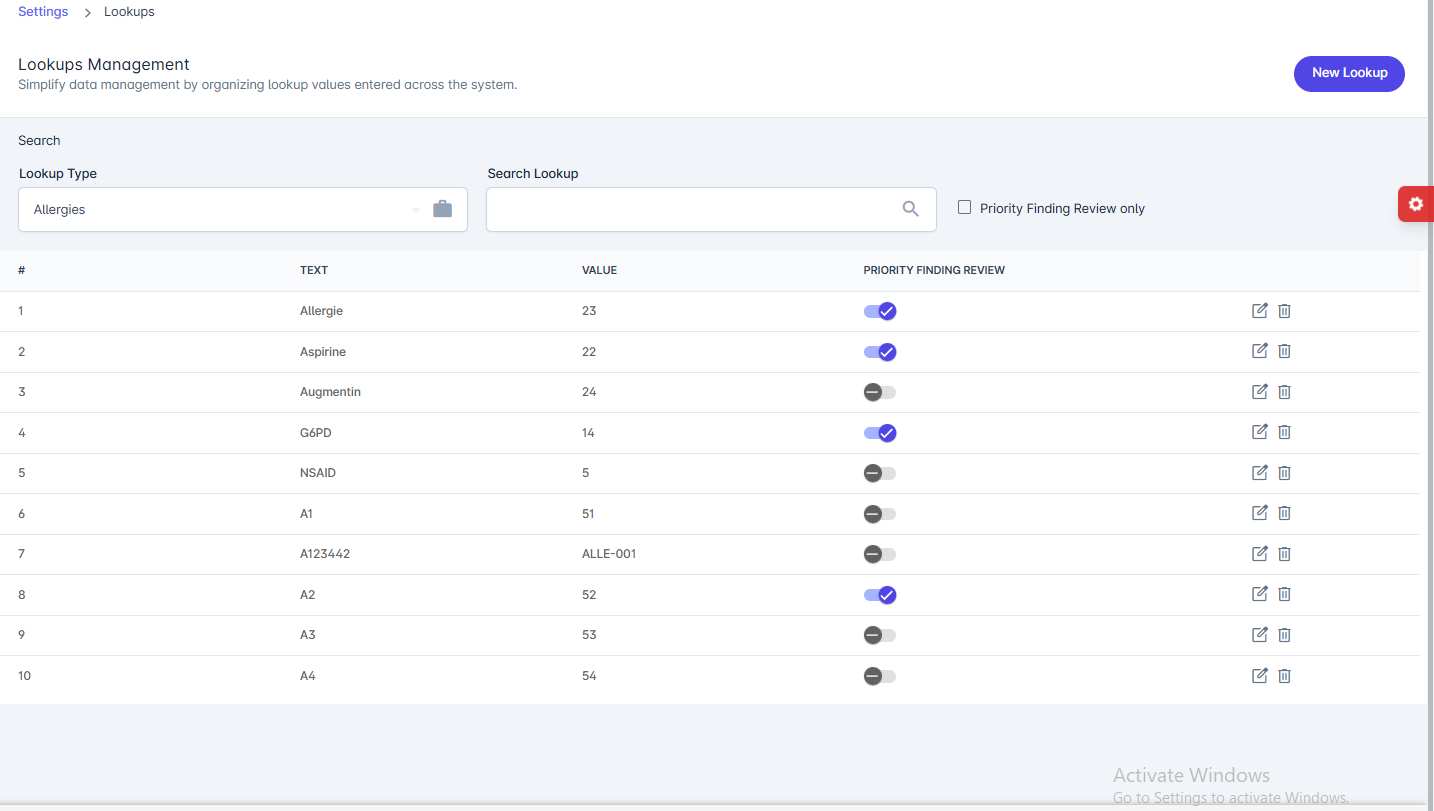
> The Lookups Management page simplifies data organization by managing predefined values (lookups) used across the system (e.g., Allergies, Diagnoses, etc.).
### Features
* **Lookup Type**: Select the category of lookup values (e.g., Allergies).
* **Search Lookup**: Quickly search for specific lookup items.
* **Priority Finding Review**: Option to filter and show only high-priority findings.
* **Lookup List**: Displays all lookup entries with:
* **#** – Serial number.
* **Text** – The displayed name of the lookup item.
* **Value** – A unique identifier or code for the lookup.
* **Priority Finding Review** – Toggle to mark whether the item requires priority review.
* **Actions**:
* **Edit (✎)** – Update an existing lookup value.
* **Delete (🗑)** – Remove the lookup entry.
 * **New Lookup**: Add a new lookup entry to the system.
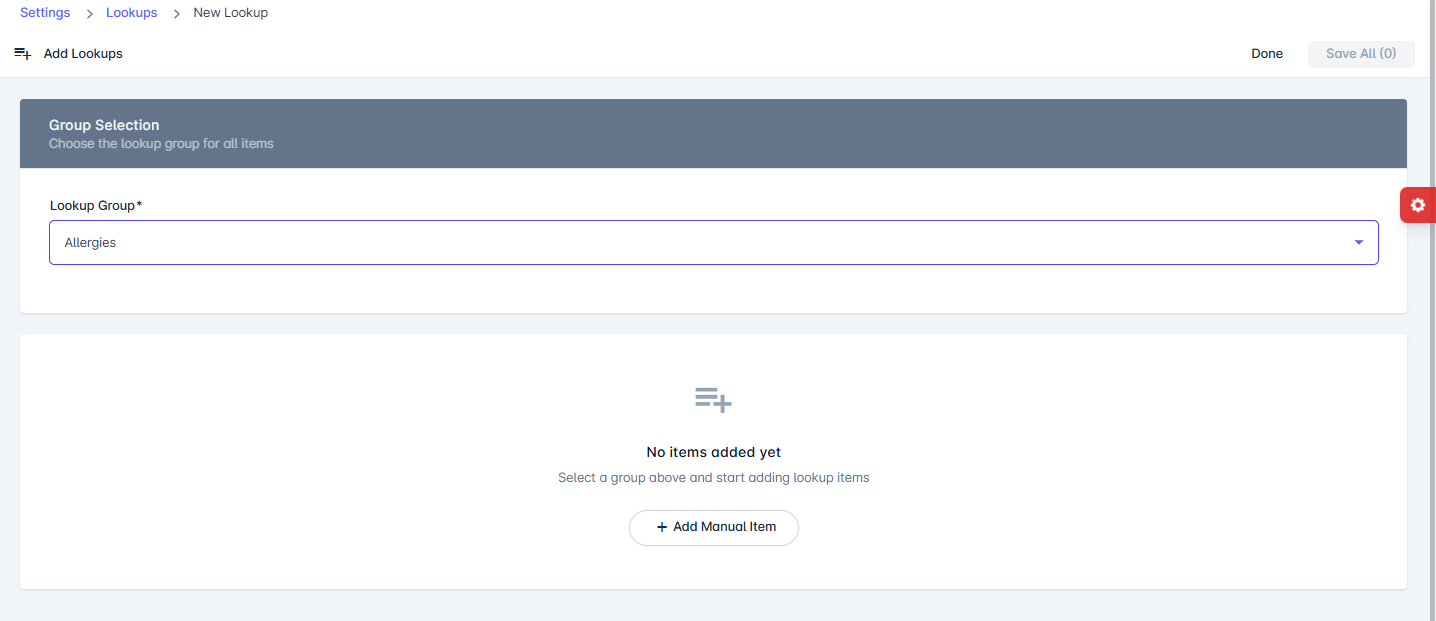
The **New Lookup** page allows administrators to add new lookup values under a specific group (e.g., Allergies, Diagnoses, etc.). These values are then available system-wide for consistent data entry and selection.
### Sections
1. **Group Selection**
* **Lookup Group** – Choose the category under which the new lookup items will be added (e.g., Allergies).
2. **Lookup Items**
* Add one or multiple lookup items manually.
* Items will appear in the list once created.
### Actions
* **Add Manual Item** – Adds a new custom lookup entry to the selected group.
* **Save All** – Saves all newly added lookup items at once.
* **Done** – Completes the process and returns to the lookup list.
* **New Lookup**: Add a new lookup entry to the system.
The **New Lookup** page allows administrators to add new lookup values under a specific group (e.g., Allergies, Diagnoses, etc.). These values are then available system-wide for consistent data entry and selection.
### Sections
1. **Group Selection**
* **Lookup Group** – Choose the category under which the new lookup items will be added (e.g., Allergies).
2. **Lookup Items**
* Add one or multiple lookup items manually.
* Items will appear in the list once created.
### Actions
* **Add Manual Item** – Adds a new custom lookup entry to the selected group.
* **Save All** – Saves all newly added lookup items at once.
* **Done** – Completes the process and returns to the lookup list.